Mobile setupTerminal firstPrivate network ready
Smartphone development

Develop from your phone only

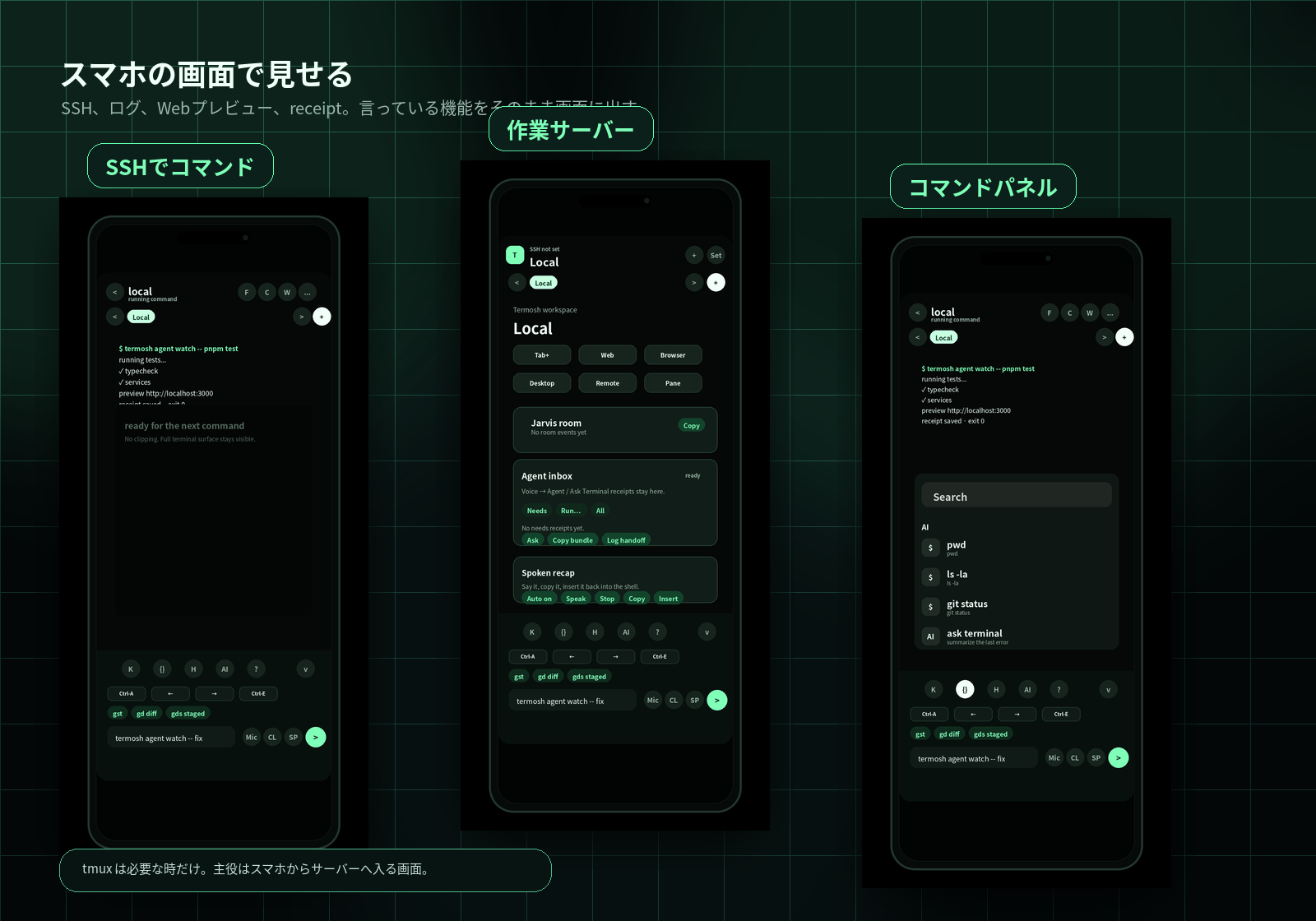
Termosh lets you connect to your work server and keep moving from your phone. SSH, web previews, agent receipts, and tmux session resume when you need it are grouped into one mobile workflow.

Termosh terminal and smartphone VPN setup hero
Usage

Connect to your server and work from your phone.

VPN or Tailscale stays outside Termosh. Prepare it only if you need it, then add your work server and use the phone for connection, checks, and commands. tmux is optional for long-running work.

01

Make the server reachable

If needed, use Tailscale or another private network so the phone can reach the work server. This is preparation, not a Termosh feature.
02

Add a dev machine

Save the host, SSH user, key, and port so you can connect from the phone without rebuilding the setup.
03

Work from the phone

Run commands, read logs, open web previews, and use tmux sessions when you need to continue long-running work.
Product stance

Your server, from your phone.

Connect to the work server, read logs, run commands, and open web previews from the phone. If a tmux session exists, you can return to it too.

Connect to the server

Make SSH, command input, and log review usable on a phone, with real app screens instead of abstract AI art.

Develop from mobile

Not just a viewer: connect to a server, check logs, open web previews, and continue the work from the phone.

Use the real icon

The green app icon anchors the header, favicon, and hero phone UI for a consistent brand.

Dev machine

Server registration means a place to work.

Saving only an IP is too vague. Termosh groups the SSH target, working directory, web preview URL, and receipts as one work server. tmux sessions are attached only when you need them.

Connection

MagicDNS / 100.x IP, SSH user, and key.

Work entry

Store the working directory, web preview URL, and receipts for phone access.

Continue later

Attach a tmux session when long-running work needs one.

Actual app surfaces

Separate setup from work.

Start by adding a work server. During work, Terminal, Workspace, and Command panel split connection, checks, and next actions.

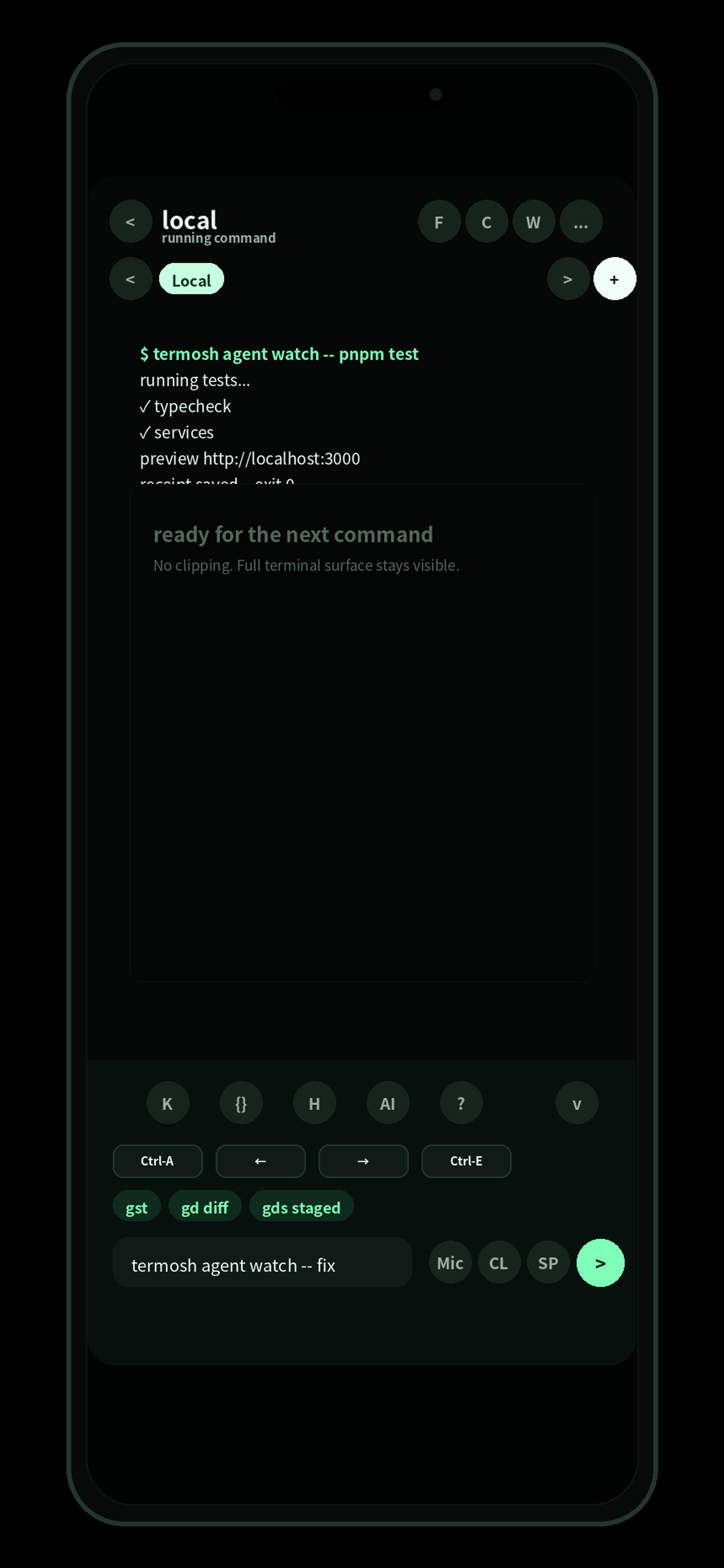
Terminal

Live output and action bar.

Termosh terminal screen

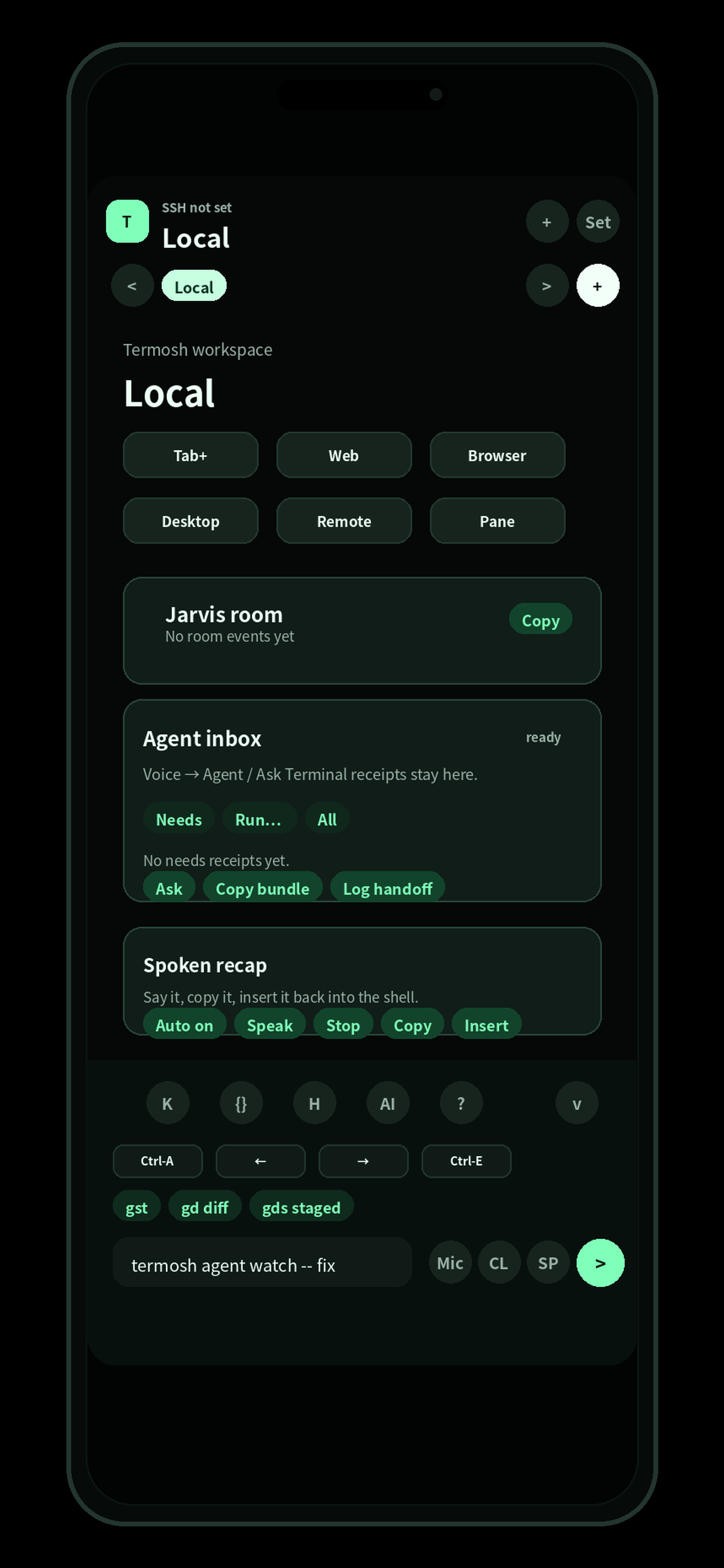
Workspace

Jarvis room / receipts / web previews.

Termosh workspace screen

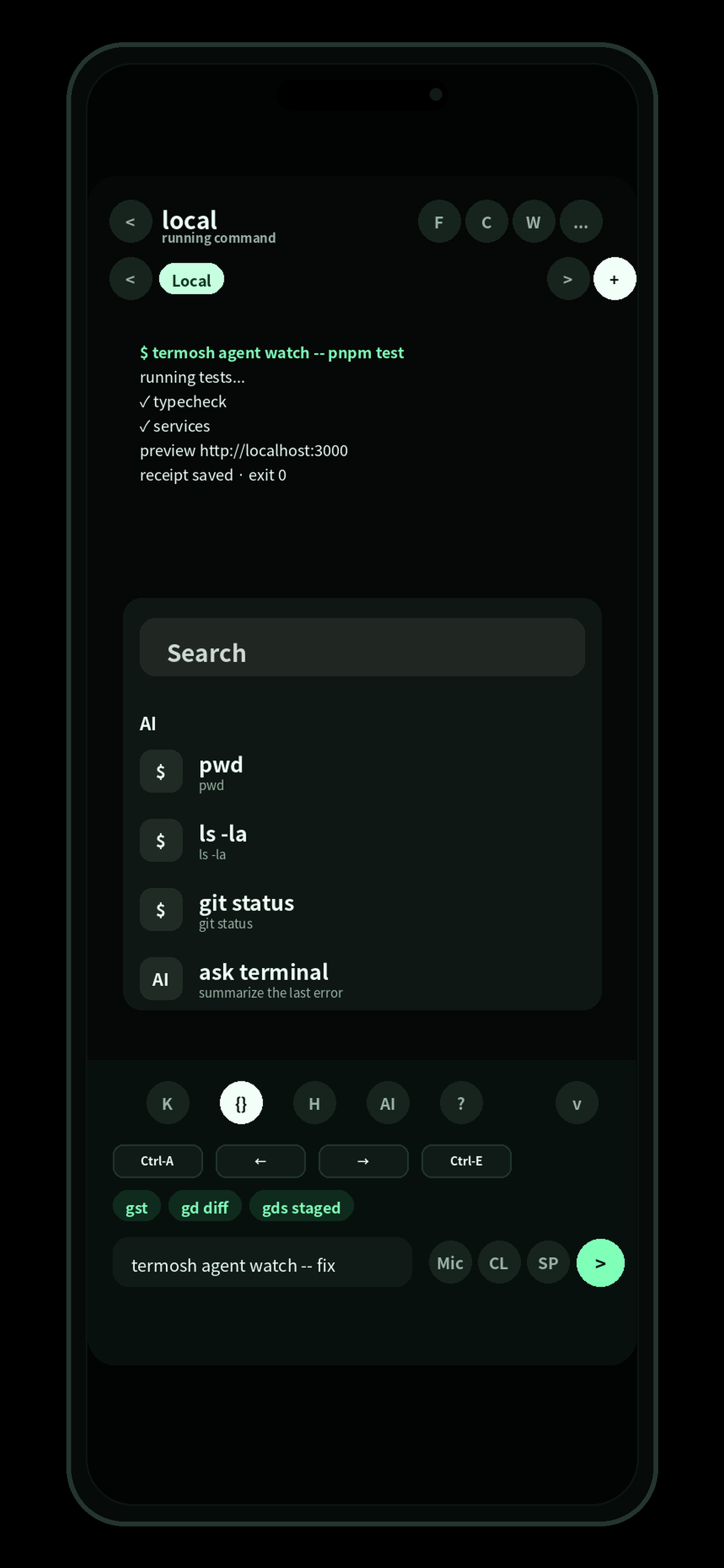
Command panel

Search, git, and AI command drafts.

Termosh command panel screen
What it covers

A mobile handle on your dev environment.

Terminal on the phone

Connect over SSH and keep commands, logs, failure points, and next actions readable.

Network reachability

Keep VPN/Tailscale outside the app and treat it as a prerequisite check before connecting.

Web preview

Open localhost or remote dev server URLs from your phone.

Optional tmux resume

Return to a tmux session when long-running jobs or dev servers need it.

Agent receipts

Keep done, failed, and retryable work in cards that lead to fixes.

/copy bundle

Bundle logs, diffs, and next steps for another terminal or AI.

Setup path

Start working from the phone.

Termosh gives you a path from phone to work server, then into the actual work. tmux is available when you need it, not the center of the product.

01

If needed, prepare Tailscale or another private network so the phone can reach the server

02

Prepare a Linux/macOS server reachable by SSH

03

Install git, curl, node/pnpm, and the CLI tools you use. Add tmux only if you need sessions

04

Add the work server with host / user / port / key. Add a tmux session only if needed

05

Connect from the phone and start dev servers or agent work

06

Check web previews and agent receipts from your phone

Docs

Read server prep and network reachability.

Server prep

SSH, tmux, tools, keys, users, and ports.

Read

Network reachability / Tailscale

Tailnet, MagicDNS, 100.x addresses, and SSH reachability.

Read

App setup

Connection profiles, keys, tmux resume, web preview, and receipts.

Read